Remote Work Tools for Collaboration: Work Together, Apart
Collaboration doesn't require physical proximity. Explore the remote work tools that enable teams to brainstorm, create, and innovate together from anywhere.
Remote Work Tools for Collaboration: Work Together, Apart
Last summer, I spent a morning in a cozy Amsterdam coworking space—think exposed brick walls, the clink of ceramic mugs, and the soft hum of laptops. At the next table, a small design team (two in London, one in New York, one in Melbourne) was locked in a messy Zoom call. Their screens were cluttered with overlapping tabs: a Google Doc open for notes, a Slack thread blowing up with feedback, and a jpeg of their design mockup shared via email. “We’re all working on the same project, but it feels like we’re in our own bubbles,” one designer groaned, scrolling through 50 unread Slack messages.
That’s the heart of remote collaboration: it’s not just about sharing files—it’s about creating a sense of “togetherness” when you’re miles apart. The right tools don’t just pass information between team members; they let ideas flow, feedback land, and projects move forward—without the chaos of scattered apps and missed messages. But with so many options (Miro! Google Docs! Loom! Slack!), how do you pick tools that actually connect your team, not complicate things? Let’s break this down with real-world stories from remote teams across Europe, North America, and Australia—no jargon, just what works when you’re working apart.
Core Collaboration Tools: Build Your Team’s “Virtual Office”
These tools are the backbone of remote collaboration—they’re where your team meets, creates, and shares. Pick one per category, align it with how your team works, and master it before adding more.
Real-Time Document Collaboration: Ditch the “Version Control Hell”
Remember the days of emailing a Word doc back and forth, with filenames like “ProjectDraft_v2_final_FINAL_updated.docx”? Remote teams don’t have time for that. Real-time collaboration tools let everyone edit, comment, and iterate on the same document—no more confusion about which version is current.
Google Docs is the gold standard here, and for good reason. A London-based content team I work with uses it to draft blog posts, whitepapers, and client proposals: writers punch in ideas, editors leave inline comments, and the project manager tracks changes—all in real time. The best part? The “Suggesting” mode lets you propose edits without overwriting someone’s work (a lifesaver for creative teams). A freelance copywriter in Toronto swears by it: “I once had a client in Sydney edit a draft while I was working on it from my couch—we finished the project 3 days early because we didn’t waste time waiting for email attachments.”
For teams that need more structure (like project plans or meeting notes), Notion’s collaborative databases are a game-changer. A Berlin startup uses it to manage their product roadmap: each team member adds updates to their assigned tasks, attaches relevant files, and tags colleagues for feedback. “It’s like having a shared notebook that everyone can edit—no more ‘I forgot to send you the meeting notes’ excuses,” their product manager said.
Visual Collaboration: Bring Brainstorms to Life (Remotely)
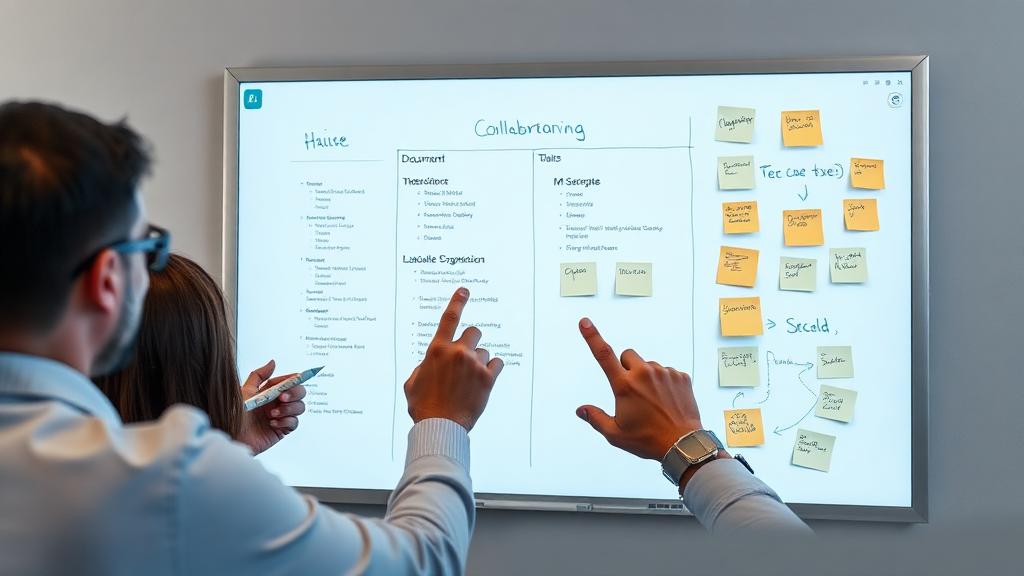
Brainstorming in person is easy—you grab a whiteboard, marker, and start scribbling. Remote brainstorming? It used to feel impossible… until tools like Miro came along. Miro is a digital whiteboard that lets your team draw, sticky-note, and map ideas in real time—just like you would in a conference room.
A Sydney-based marketing team uses Miro for their quarterly strategy sessions: they share a board with templates for SWOT analyses, campaign ideas, and target audience personas, and everyone adds their thoughts simultaneously. “We used to do brainstorming over Zoom with a shared screen, and only one person could write at a time,” their creative director said. “Now we all jump in, and ideas bounce around faster than they ever did in our old office.”
For design-focused teams, Figma is non-negotiable. It lets designers share mockups, get feedback directly on the design (no more “the button should be to the left” vague comments), and iterate in real time. A Toronto-based UI/UX team uses it to collaborate on app designs: their designer in Montreal drafts the layout, the developer in Vancouver notes technical constraints, and the client in London leaves feedback—all on the same file. “It cuts down on feedback loops by 60%,” their lead designer said. “We used to go back and forth for weeks; now we finalize designs in days.”
Asynchronous Collaboration: Bridge Time Zones (Without Burning Out)
When your team is spread across time zones (e.g., New York, London, Tokyo), sync meetings can mean early mornings or late nights. Asynchronous tools let team members contribute on their own schedule—no more sacrificing work-life balance for a 7 AM call.
Loom is a favorite for asynchronous updates: it lets you record video messages (with screen sharing!) to explain ideas, share feedback, or walk through a project. A remote software team with members in Berlin, Toronto, and Sydney uses Loom for daily standups: instead of hopping on a call, each team member records a 2-minute video about what they worked on, what’s blocking them, and what they’ll do next. “We used to have standups at 3 AM for our Sydney team member—she was exhausted, and we were all distracted,” their scrum master said. “Now Loom lets her record when she’s fresh, and we watch when it’s convenient for us. Morale is way up, and we’re more productive.”
Slack’s threaded messages are another asynchronous win. A London-based PR team uses threads to discuss client campaigns: instead of flooding the main channel with comments, they start a thread under a project update, so everyone can weigh in when they have time. “No more scrolling through 100 messages to catch up,” their account manager said. “Threads keep conversations organized, and we never miss a comment.”
Pro Tips to Make Collaboration Feel “In-Person” (From Remote Pros)
Tools alone won’t make remote collaboration seamless—you need to build habits that foster connection and clarity. Here’s what top remote teams swear by:
Set Clear Collaboration Rules (No More Guesswork)
Remote teams thrive on structure—especially when it comes to collaboration. A Melbourne-based event planning team has a simple rule for their Miro brainstorms: “Add one idea per sticky note, and comment on at least two others.” They also set guidelines for Google Docs: “Edit in ‘Suggesting’ mode unless it’s a typo, and tag the author for major changes.” “These rules eliminate friction,” their lead planner said. “No one feels like their ideas are being dismissed, and we avoid arguments about edits.”
Use “Presence” Features to Stay Connected (Without Being Creepy)
Many collaboration tools have “presence” features that let you see when teammates are online or working on a document. Google Docs shows a tiny avatar of who’s editing the same file; Slack lets you set a status like “In a brainstorm” or “Focus time.” A Toronto-based content team uses these features to coordinate: if someone sees a teammate is editing a shared doc, they’ll send a quick Slack message before jumping in. “It’s like knocking on someone’s office door before entering,” their editor said. “It respects their focus and keeps collaboration smooth.”
Celebrate Small Wins (Build Team Spirit)
Collaboration isn’t just about work—it’s about building rapport. A Berlin-based startup uses their Miro board to celebrate wins: after launching a new feature, they add a “Wins” column where team members post sticky notes about what went well (e.g., “Great job fixing that bug, Sarah!” or “Loved the user feedback session, Mike”). “Remote work can feel isolating, so we make sure to highlight small victories,” their CEO said. “It keeps everyone feeling connected and motivated.”
Common Collaboration Mistakes to Avoid (I’ve Seen Them Happen)
Even the best teams make mistakes—here’s what to watch out for when collaborating remotely:
Don’t Over-Rely on Sync Meetings (Asynchronous Is Your Friend)
A London-based marketing team used to have 3 sync meetings a day to “stay aligned”—until they realized half their team was logging on at 2 AM (they had members in Singapore). They replaced most meetings with Loom updates and asynchronous Slack threads, and their productivity jumped by 30%. “Sync meetings should be for brainstorming or resolving conflicts—not for sharing updates,” their manager said. “Asynchronous tools let everyone work on their own schedule, and meetings become more focused.”
Don’t Ignore Tool Fatigue (Less Is More)
It’s tempting to add a new tool for every collaboration need—but too many tools lead to burnout. A Vancouver-based design team once used Miro for brainstorming, Figma for designs, Google Docs for notes, and Slack for messages—plus a separate tool for feedback. “We were spending more time switching between apps than actually collaborating,” their lead designer said. They streamlined to Figma (for designs and feedback), Google Docs (for notes), and Slack (for communication)—and suddenly, work felt easier. “Tools should support your workflow, not complicate it,” she said.
Don’t Skip the “Human Touch” (Even Virtually)
Collaboration tools can make work efficient, but they can’t replace human connection. A Sydney-based remote team learned this the hard way: they relied solely on Slack and Google Docs for collaboration, and team members started feeling disconnected. They added a weekly 15-minute “coffee chat” (no work talk allowed) and a Miro board where everyone shares weekend photos. “Suddenly, we weren’t just colleagues—we were people,” their project manager said. “Collaboration got better because we trusted each other more.”
Wrapping Up: Collaboration Is About Connection, Not Tools
At the end of the day, collaboration tools are just a means to an end—they’re not the solution to remote teamwork. The best remote teams don’t just use tools to share files; they use them to build trust, spark ideas, and make everyone feel like they’re part of something bigger—even when they’re apart.
Here’s my final tip: Pick tools that fit your team’s vibe. A creative team might thrive with Miro and Figma, while a corporate team might prefer Google Docs and Slack. There’s no “perfect” stack—only what works for you. Test tools with a free trial, ask your team for feedback, and don’t be afraid to switch if something isn’t working.
Remember that Amsterdam coworking space team I mentioned earlier? A month later, I ran into one of the designers at a café. She told me they’d switched to Miro for brainstorming, Figma for designs, and Loom for updates. “We’re finally on the same page—literally,” she laughed. “No more overlapping tabs, no more missed messages, and we’re finishing projects ahead of schedule. It feels like we’re in the same room, even when we’re across the globe.”
That’s the magic of great remote collaboration: it lets you work together, apart—without sacrificing creativity, connection, or productivity. Whether you’re brainstorming a campaign from London, editing a design from Toronto, or sharing updates from Sydney, the right tools will help your team shine—one collaborative step at a time.
Next time you’re feeling stuck in remote collaboration chaos, take a breath. Simplify your tools, set clear rules, and don’t forget to add a little human touch. You’ve got this—and your team will too.
About this guide
We publish practical, experience-led tutorials and tool guides for remote teams.
- Published: January 11, 2026
- Author: Riley Chen
- Category: Collaboration
- Estimated reading time: 8 min read
Our editorial standards and monetization disclosures:
Spotted an issue or have a suggestion? Email [email protected].
How we put this guide together
- We review official documentation and product pages for key claims.
- We focus on practical workflows (setup steps, everyday usage, trade-offs).
- We aim to keep guides current as tools change.
References
Official documentation and reputable resources related to this guide.
- Google Workspacehttps://workspace.google.com/
- Notionhttps://www.notion.so/
- Mirohttps://miro.com/
- Slackhttps://slack.com/
- Zoom Meetingshttps://zoom.us/meetings
Related Remote Work Tools Guides
View our complete Sitemap for all remote work tools guides.