Best Remote Work Tools for Design Collaboration: Create Together
Design collaboration thrives with the right tools. Discover platforms that enable creative teams to ideate, design, and iterate together remotely.
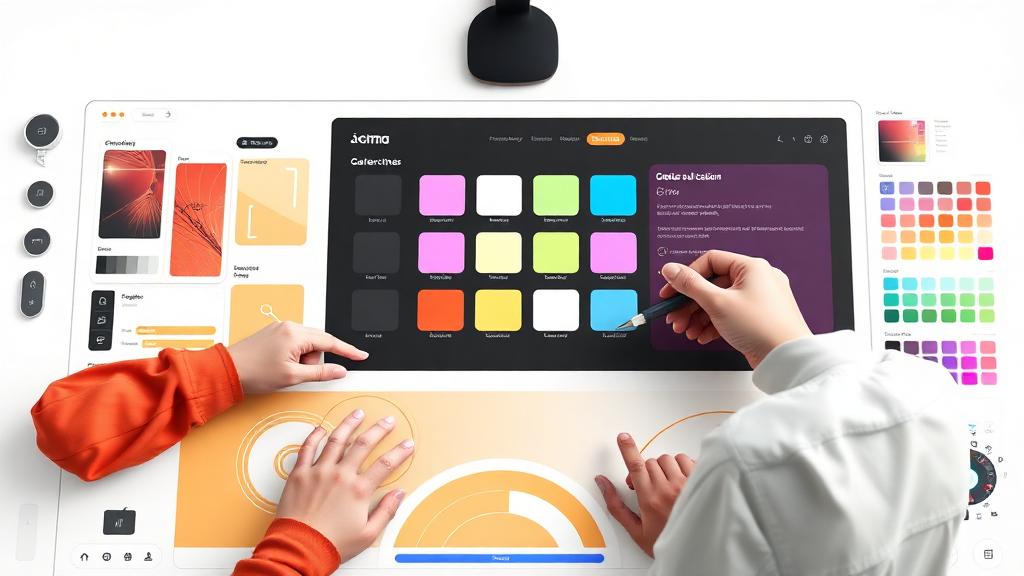
Best Remote Work Tools for Design Collaboration: Create Together
Last year, while working on a design project with a team based in three different time zones, I came to a realization—remote work is only as effective as the tools you use to stay connected and collaborate. I remember one particularly stressful morning when we were trying to finalize a design presentation. My colleague in London was making last-minute tweaks, and our teammate in Sydney was waiting for feedback. Without the right tools, keeping everyone on the same page would’ve been impossible. Thankfully, we had a solid set of remote work tools that allowed us to create together, despite the distance.
Design collaboration has its unique challenges in a remote setting—tight deadlines, endless revisions, and the need for instant feedback. But with the right tools, creative teams can collaborate seamlessly and keep their projects on track. Here are the best tools for remote design collaboration that help teams create together, no matter where they are.
1. Figma: The Ultimate Collaborative Design Tool
If you haven’t used Figma yet, you’re in for a treat. It’s a cloud-based design tool that has completely transformed how remote design teams work together. The magic of Figma lies in its real-time collaboration features. Just like Google Docs allows multiple people to edit a document simultaneously, Figma allows designers to work on the same file, in real-time, and see each other’s changes as they happen.
During one project I worked on with a team of designers spread across Europe, we used Figma to create a website prototype. We could all work on different sections of the design, comment on each other’s work, and instantly apply feedback. The design files are stored in the cloud, so everyone always has the latest version of the project. It’s a game-changer when you’re working with a distributed team and need to maintain consistency across design iterations.
Figma also integrates with other design tools like Sketch and Adobe XD, and offers seamless handoff to developers, making it one of the best tools for design collaboration in remote teams.
2. InVision: A Powerful Prototyping and Collaboration Tool
InVision is another essential tool for remote design teams, particularly for creating interactive prototypes and gathering feedback. Unlike Figma, which is primarily a design tool, InVision allows you to take your static designs and turn them into clickable prototypes. This is ideal when you need to showcase how a product or website will function before it's developed.
What sets InVision apart is its focus on collaboration. The platform allows team members and clients to leave comments directly on the prototype. You can track these comments, respond to feedback, and even make revisions, all while keeping everything organized. When you’re collaborating with non-designers, this feature can be especially useful, as it provides an intuitive way to provide input without getting lost in the design details.
InVision’s integrations with tools like Slack, Trello, and Jira also make it easy to keep your workflow connected, so you can track progress and manage tasks in real time.
3. Miro: A Collaborative Whiteboard for Creative Brainstorms
When you’re working remotely, brainstorming ideas can sometimes feel disconnected, especially if you’re used to the spontaneity of in-person whiteboard sessions. Miro solves this problem by offering a digital whiteboard that allows design teams to collaborate visually. It’s perfect for sketching ideas, creating mood boards, or mapping out workflows.
I’ve used Miro in remote brainstorming sessions where we needed to get all of our ideas out quickly and visually. Whether it was wireframes, sticky notes, or concept sketches, Miro allowed us to work on the same board in real-time, even if we were on opposite sides of the world. The endless canvas means that you can always expand and add more content as ideas evolve.
Miro also integrates with Figma, Slack, and other design tools, so it’s easy to move between brainstorming and more detailed design work without losing track of your ideas.
4. Trello: Organize and Track Design Projects
Trello is a versatile project management tool that can be incredibly helpful for organizing tasks in remote design teams. It uses boards, lists, and cards to organize projects, making it easy to break down the steps of a design project and assign tasks to different team members.
I’ve found Trello to be particularly useful for managing multiple design iterations. For example, when we were working on a logo redesign project, we created a Trello board that included lists for each stage of the project: brainstorming, concept development, client feedback, and final revisions. Each card contained detailed information, links to design files, and deadlines, making it easy to keep track of the project’s progress.
Trello’s ability to integrate with design tools like Figma, InVision, and Google Drive makes it an efficient hub for keeping all your design-related materials organized and accessible.
5. Adobe Creative Cloud: The Industry Standard for Design
For professional designers, Adobe Creative Cloud is often considered the gold standard of design software. While it’s a suite of tools that requires a subscription, its features are indispensable for remote design teams. Adobe’s suite includes Photoshop, Illustrator, XD, and more, which are essential for creating high-quality designs.
What makes Adobe Creative Cloud particularly useful for remote collaboration is its cloud storage feature. With Creative Cloud, designers can save their work to the cloud, making it accessible from anywhere. You can also use Adobe’s shared libraries to store assets (like logos, fonts, and images), which ensures that everyone on your team is using the same resources.
Creative Cloud’s integration with other tools, like Slack and Microsoft Teams, allows for streamlined collaboration and quick feedback, making it ideal for professional design teams working remotely.
6. Slack: Centralized Communication for Design Teams
While Slack isn’t specifically a design tool, it’s a must-have for remote teams of all kinds. Communication is key when working on design projects, and Slack provides a centralized space for conversations, file sharing, and real-time updates. For design teams, Slack can be used to share design files, get feedback, and keep everyone on the same page.
I use Slack to share drafts, get quick feedback, and even hold virtual design reviews with team members and clients. Slack’s ability to integrate with Figma, InVision, and other design tools means that you can keep all your communication in one place without having to jump between apps.
One of my favorite Slack features is the ability to create channels for specific projects or design phases. This helps keep discussions organized and ensures that everyone involved is in the loop.
7. Zeplin: Design Handoff Made Simple
When you’re working with developers, one of the biggest challenges is ensuring that your designs are implemented correctly. Zeplin makes this process easier by acting as a bridge between design and development. Once you’ve finished a design in Figma, Sketch, or Adobe XD, you can export it to Zeplin, where developers can access all the assets, specifications, and code snippets they need to bring your design to life.
Zeplin makes the handoff process smooth and efficient, ensuring that everyone involved in the project has the right information. This reduces the chances of miscommunication and ensures that your designs are implemented as intended.
Conclusion
Remote design collaboration doesn’t have to be a challenge. With the right set of tools, you can create together, regardless of where your team is located. Tools like Figma, InVision, Miro, and Trello enable seamless collaboration, allowing you to work on designs, share feedback, and stay organized—all in real-time.
When you bring these tools together, you create a workflow that’s efficient, creative, and responsive to feedback. And in today’s fast-paced design world, that’s the kind of setup that will allow your team to thrive. Whether you’re a solo designer or part of a global team, these tools can help you bring your design vision to life—and collaborate effectively from anywhere.
About this guide
We publish practical, experience-led tutorials and tool guides for remote teams.
- Published: December 27, 2025
- Author: Taylor Reed
- Category: Design
- Estimated reading time: 9 min read
Our editorial standards and monetization disclosures:
Spotted an issue or have a suggestion? Email [email protected].
How we put this guide together
- We review official documentation and product pages for key claims.
- We focus on practical workflows (setup steps, everyday usage, trade-offs).
- We aim to keep guides current as tools change.
References
Official documentation and reputable resources related to this guide.
- Figma Help Centerhttps://help.figma.com/hc/en-us
- Miro Help Centerhttps://help.miro.com/hc/en-us
- Canva Help Centerhttps://www.canva.com/help/
- Google Workspacehttps://workspace.google.com/
- Notionhttps://www.notion.so/
- Mirohttps://miro.com/
Related Remote Work Tools Guides
View our complete Sitemap for all remote work tools guides.